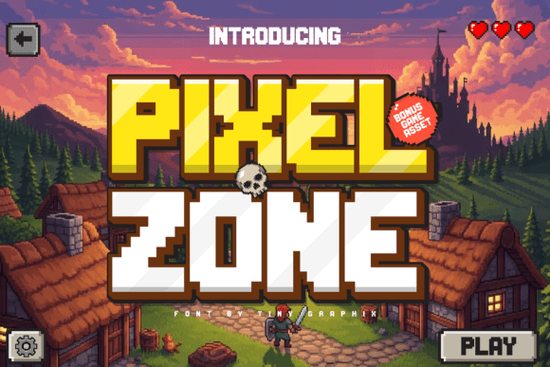
If you're working on a retro-themed project whether it’s an indie game, a YouTube thumbnail, or custom merch chances are you’ve looked for a font that feels authentic to the 8-bit era without sacrificing clarity. Pixel Zone Font delivers exactly that: a crisp, bold typeface with the nostalgic charm of classic video games from the ’80s and ’90s. It’s built for creators who want to bring pixel nostalgia to life in a way that still works well on modern screens.
Why Pixel Zone stands out among retro fonts
Many retro-style fonts blur together after a while. But Pixel Zone has a clean structure and consistent spacing that keeps text readable even at smaller sizes. That matters when you’re designing HUDs, menus, or buttons in a game. Unlike some fonts that look messy or inconsistent across characters, this one maintains sharp edges and uniform pixel alignment critical for professional-looking designs.
It’s also designed with real-world use in mind. If you’re building a full game interface or a digital poster, you don’t want to spend hours hunting down matching icons. The package includes bonus assets like hearts, coins, buttons, cursors, and trophies all styled to match the same pixel aesthetic. This means you can create complete UI elements faster, without needing extra design tools.
What you get with Pixel Zone Font
- Bold, legible characters perfect for titles, labels, and game text
- 16-bit inspired style with clean pixel grid alignment
- Extra pixel assets such as UI buttons, health indicators, and collectibles
- Supports uppercase and lowercase letters, numbers, and common punctuation
- Works great in both digital and print formats
Whether you’re a game developer prototyping a new title, a streamer creating thumbnails, or a small business owner branding retro-inspired merchandise, Pixel Zone gives you a toolkit that fits right into your workflow. You can use it for logos, packaging, social media graphics, or even T-shirt designs no matter the format, it holds up well.
Who should use Pixel Zone?
This font is ideal for:
- Indie game developers building arcade-style experiences
- Content creators designing YouTube thumbnails with a retro vibe
- Print-on-demand sellers offering pixel art-themed apparel or posters
- Crafters making stickers, cards, or digital scrapbooking kits
- Anyone who loves old-school gaming aesthetics and wants to use them in creative work
You’ll find it especially useful if you’ve already explored other display fonts like The Crafty Marie Font, Vintage Cowboy Font, or Shiny Christmas Font. These all have their own unique flavor, but if you’re going for a true 8-bit feel, Pixel Zone hits the mark more consistently than most.
For those who enjoy fast-paced, action-packed game themes, you might also like Fast Rogue Font, which shares a similar energy but with a slightly different edge. Still, when you want that pure pixel-art authenticity, Pixel Zone remains a top choice.
How to get the most from your Pixel Zone download
Start by testing the font at different sizes. Even though it’s optimized for clarity, scaling too far down can make certain characters less distinct. Stick to 14pt or higher for body text, and go larger for headlines.
Use the included icon set to build cohesive layouts. For example, pair the coin icon with a “Score: 100” label using the same font style. This creates visual harmony without requiring additional design work.
When sharing your project online say, on Etsy or Instagram mentioning the font name helps others discover it too. If you’re using it in a game or video, adding a small credit like “Font: Pixel Zone” adds transparency and supports the creator.
Want to explore more? Check out the original source directly through Pixel Zone Font on Creative Fabrica. It’s available in multiple formats, including OTF and TTF, so it works across Windows, Mac, and many design apps.
Before you start your next project, take a moment to review your design needs. Ask yourself: Do I need something playful? Functional? Consistently pixelated? If the answer leans toward retro gaming or pixel art, Pixel Zone Font is a solid foundation to build on.
Next step: Download the font, open your favorite design tool, and try pairing it with the included assets. See how quickly you can create a mock-up for a game menu, poster, or product label. You’ll be surprised how fast a polished look comes together.
Download Now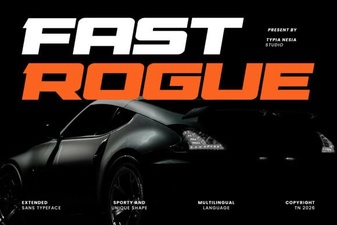 Fast Rogue Font for Bold, Modern Design Projects
 Sunday Grunge Font for Bold, Creative Design Projects
 Creative Typography Ideas with Outline Friday Font
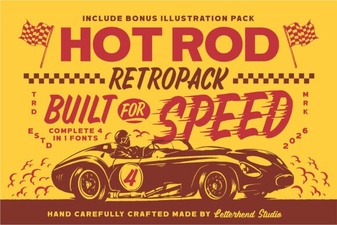 Hotrod Font: Bold Typography for High-Performance Design Projects
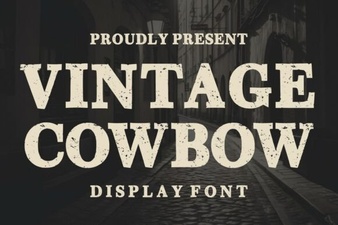 Vintage Cowboy Font for Authentic Western Design Projects
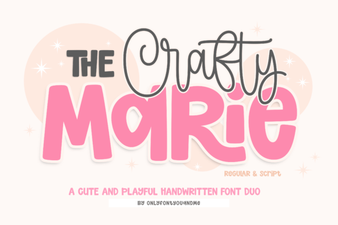 The Crafty Marie Font for Creative Design Projects