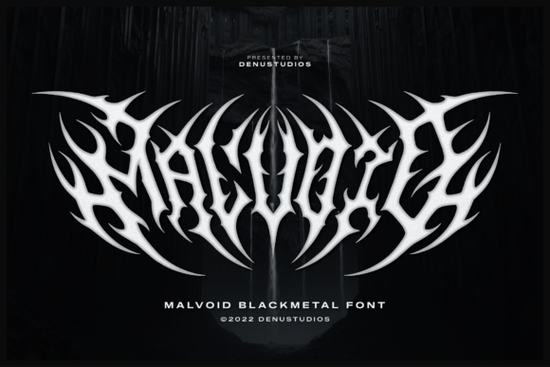
If you're looking for a bold, dramatic font that stands out in dark-themed projects, Malvoid Font is a strong choice. It’s built for creators who work with extreme music aesthetics, gothic design, or horror-inspired visuals. The font’s sharp edges and organic, root-like extensions give it a raw, almost living quality like something that grew out of shadow and stone.
What makes Malvoid Font unique?
Malvoid isn’t just another blackletter-style typeface. Its characters feel aggressive yet balanced, with lines that twist and bleed into one another like vines through cracked earth. This creates a sense of movement and tension, perfect for band logos, album covers, or zine layouts where visual impact matters. The design works especially well on dark backgrounds, making it ideal for concert posters or vinyl sleeves where high contrast is key.
Unlike many fonts that rely on added graphics or symbols, Malvoid turns text into a powerful visual element on its own. A single word in this font can act like a logo symmetrical, sharp, and instantly recognizable. That means less need for extra design elements, which saves time and keeps your work clean and focused.
Best uses for Malvoid Font
- Death metal or blackmetal band logos – the font matches the genre’s intensity and aesthetic.
- Occult-themed merchandise – think T-shirts, stickers, or collectible prints with mystical or eerie vibes.
- Underground zines and fanzines – adds an authentic, hand-crafted feel to printed pages.
- Concert posters and event flyers – stands out when paired with stark white or blood-red colors.
- Gothic or horror-inspired branding – fits naturally in any project with a dark, mysterious tone.
The font is designed to feel hand-drawn, but with digital precision. That balance gives it a unique edge authentic enough to feel real, yet consistent enough for professional use. Whether you’re a small business owner creating merch or a hobbyist exploring dark art styles, Malvoid delivers reliable results.
How to pair Malvoid Font with other designs
For maximum effect, stick to high-contrast color schemes. White text on black backgrounds works perfectly, but don’t overlook deep reds or dark purples. These colors enhance the font’s ominous presence without overwhelming it.
You can also mix Malvoid with simpler fonts for contrast. For example, use a clean sans-serif for body text while keeping Malvoid for headlines or titles. This keeps the focus on the main message while adding visual depth.
If you’ve used similar fonts before, you might appreciate how Malvoid compares to others in the same style:
- Archer Font has a more structured, medieval look.
- Antifight Font leans into industrial grit and angular shapes.
- Grimersia Font brings a slightly older, parchment-like texture.
Each of these offers a different take on the blackletter theme, so consider them if you want variety in your toolkit. But if you're after something truly distinctive something that feels alive and intense Malvoid stands apart.
Where to find Malvoid Font
You can get Malvoid Font directly from Creative Fabrica, where it’s available as part of their collection of blackletter and gothic-style typefaces. The platform offers multiple formats (OTF, TTF, WOFF) to suit various design tools, including Adobe Illustrator, Photoshop, and Canva.
For a deeper look at what’s available, check out the full selection at Malvoid Font.
Once downloaded, test it in a few mockups try it on a simple flyer or a product label. See how it holds up in different sizes and placements. You’ll quickly notice how much presence it adds to even the simplest layout.
Before using it commercially, make sure you understand the license terms. Most Creative Fabrica fonts allow personal and commercial use, but always double-check the details for your specific purchase.
Final tip: Use it with purpose
Malvoid is powerful, but it works best when used intentionally. Don’t overload your design with too many effects or additional graphics. Let the font speak for itself. When used thoughtfully, it becomes more than just text it becomes a statement.
Next step: Download Malvoid Font, open your favorite design tool, and try it on a blank canvas. Start with a single word. Watch how it transforms your idea into something bold and memorable.
Try It Free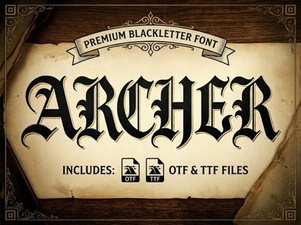 Archer Font: Modern Typography for Creative Projects
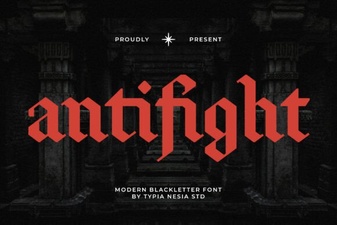 Antifight Font: Bold Typography for Impactful Design
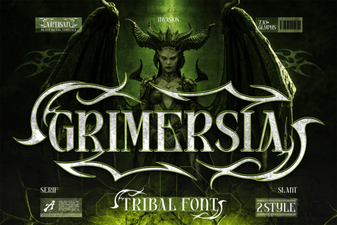 Grimersia Font: Bold Typography for Creative Projects
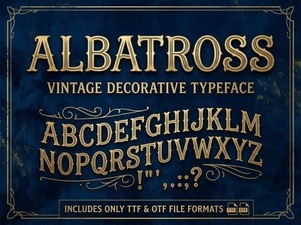 Albatross Font: Elegant Typography for Creative Projects
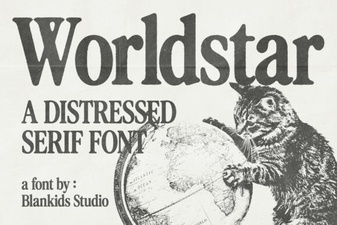 Worldstar Font: Bold Typography for Creative Projects
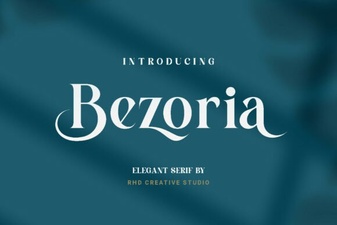 Bezoria: Timeless Elegance for Modern Design Projects